IGR
Recovered from the ShaolinAssassin wiki · snapshot 20240324023512
In-Game-Reset
IGR Behaviour Modifiers :
POPStarter has his own IGR ( Select + R1 + L1 ). You can change the button combo using one PATCH/TROJAN of the IGR behaviour modifiers archive – or just use a special command for it in POPS/CHEATS.TXT or POPS/GAME/CHEATS.TXT.
| File name | Button combo | Action |
| TROJAN_0.BIN | L1 + L2 + R1 + R2 + ✕ + ↓ | Opens the IGR menu. |
| TROJAN_1.BIN | Select + Start | Opens the IGR menu. |
| TROJAN_2.BIN | L1 + L2 + R1 + R2 + Select + Start | Opens the IGR menu. |
| TROJAN_3.BIN | L1 + L2 + R1 + R2 + ✕ + ↓ | Terminates POPS (no IGR menu). |
| TROJAN_4.BIN | Select + Start | Terminates POPS (no IGR menu). |
| TROJAN_5.BIN | L1 + L2 + R1 + R2 + Select + Start | Terminates POPS (no IGR menu). |
| PATCH_0.BIN | (none) | Disables the IGR menu. |
- How to install :
Copy one of the PATCH/TROJAN files to the VMC game folder or to the POPS folder.
When copied to a VMC game folder, it’s used on the relative game only.
When copied to the POPS folder, it’s used on all the installed games.
- What to do if you don’t want to overwrite your existing TROJAN_#.BIN/PATCH_#.BIN file :
-
Change the number in the name of the file you want to copy ;
-
Open the file you want to copy with a hexadecimal editor, change the number in its header according to the one of the new file name ;
-
And finally copy the edited file.
POPStarter will refuse to load the PATCH/TROJAN file if the number in its filename doesn’t match the number in its header.
IGR Textures:
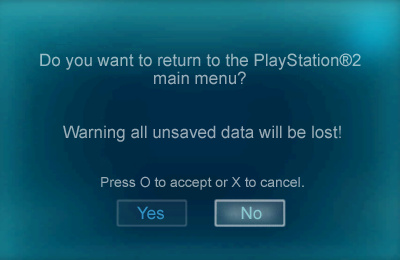
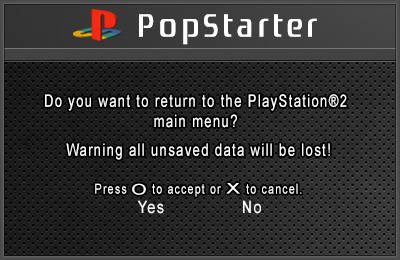
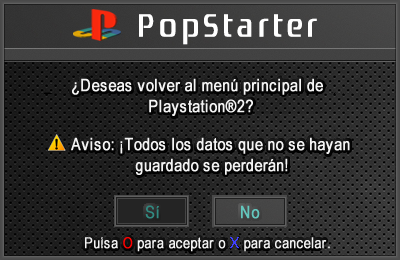
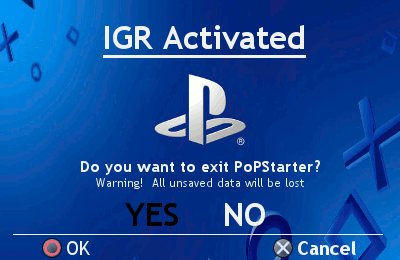
POPStarter has a built-in IGR loader texture making you able to change the japanese IGR screen with one of your language. Just drop the “IGR_BG.TM2”, “IGR_NO.TM2” and “IGR_YES.TM2” files into your POPS folder.
Example :
__common/POPS/IGR_BG.TM2
__common/POPS/IGR_NO.TM2
__common/POPS/IGR_YES.TM2
Note : .TM2 extension MUST be UPPERCASE for internal HDD – or it won’t work.
Some IGR textures made by the guys @ASSEMbler. Kudos to them. Credits go to their original authors.
| Preview | Author | Chinese | English | French | Spanish | Polish | Portuguese | German |
| arkl1t32 | – | X | X | – | X | – | – | |
| arkl1t32 | – | X | X | – | X | – | – | |
| arkl1t32 | – | X | X | – | X | – | – | |
| arkl1t32 | X | X | X | – | X | X | – | |
| arkl1t32 | – | X | X | – | X | – | – | |
| gledson999 | – | X | X | – | – | X | – | |
| El_Patas (mod of gledson999’s) | – | X | – | – | X | – | – | |
| LopoTRI | – | X | – | – | – | – | X | |
| Download links for language packs | Chinese | English | French | Spanish | Polish | Portuguese | German |
“Exit to [name of app]” function :
POPStarter has a built-in launcher added to the in-game reset function. It looks for mc0:/BOOT/BOOT.ELF then mc1:/BOOT/BOOT.ELF. If not found/invalid, it exits to the PS2 browser.
If you want to exit game to some app (uLE_kHn for example), name it BOOT.ELF and place it in the BOOT folder of your memory card.
Related stuff :
You may want to give a look at this :
Images & screenshots