PMC To VMC
Recovered from the ShaolinAssassin wiki · snapshot 20240324023511
[VMC] Use your PS1 MC saves with POPStarter
[Original french tutorial by Subaru-San – translation by ShaolinAssassin] @metagames
Software Requirements :
- [PS2 side] Gather all the necessary files :
-
Copy/paste – with uLE – all your PS1 saves from your PS1 MC to USB, then to your PC ;
-
Copy/paste – with uLE – the VMC of your game (SLOT1.VMC, in POPS directory) to USB, then to your PC ;
-
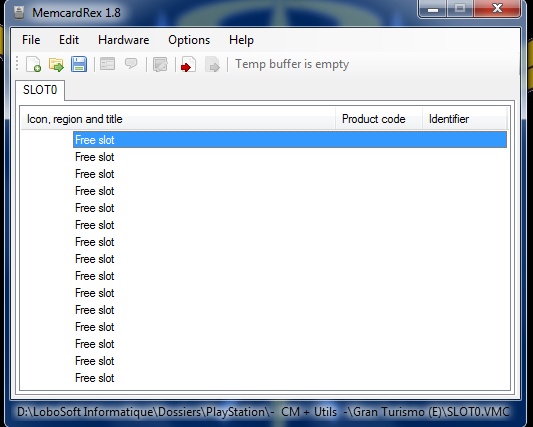
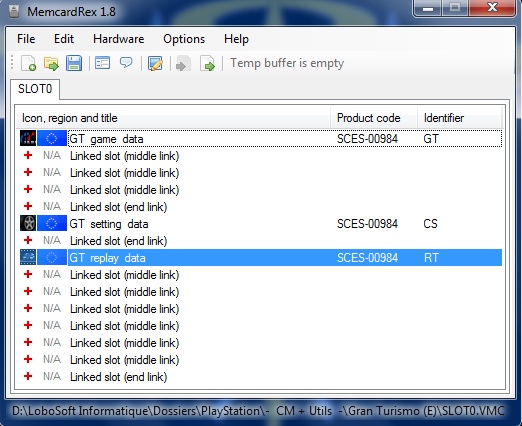
[PC side] Launch MemcardRex, click “Open”, then “All files”, then browse to your VMC ;
-
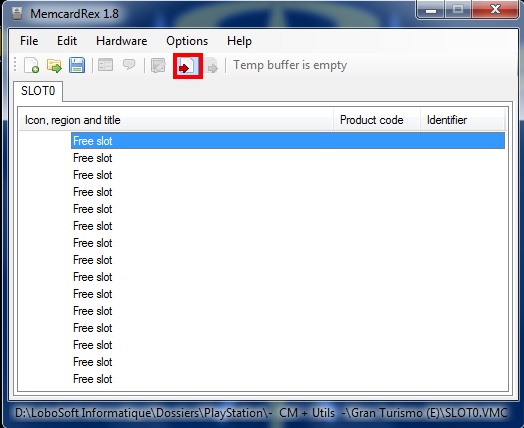
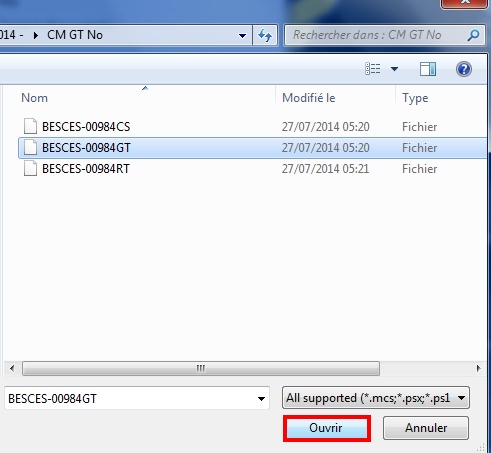
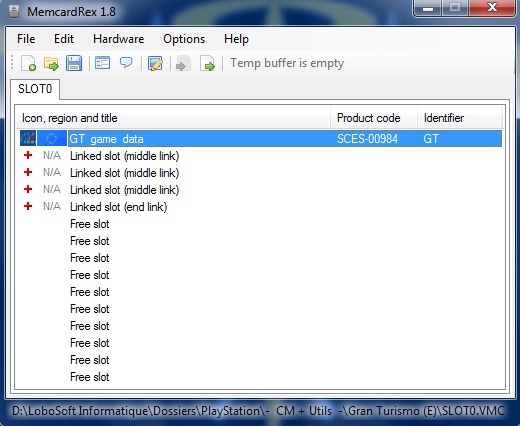
[PC] Import PS1 saves into the VMC : select the first Free slot, then “Import Save”, then browse to your PS1 MC save, select it and you’re done. Your PS1 MC save is now in your VMC ;
-
[PC] If your PS1 game saves different kind of content (game date, settings data, replay data like in this Gran Turismo save), you can also import them by repeating the operation ;
-
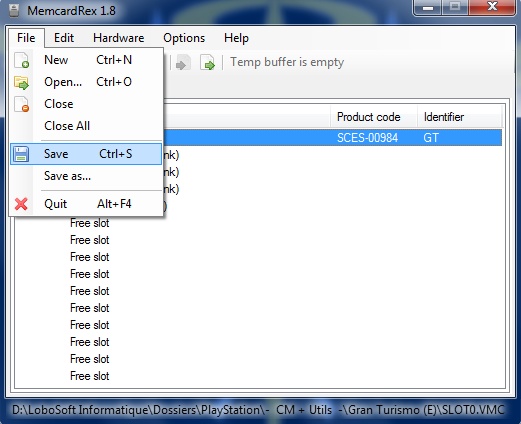
[PC] Time to save your work.
-
[PS2] Done. Copy/paste (uLE) your VMC into your POPS directory and enjoy your old PS1 saves with POPS.
Images & screenshots