Pfsshell
Recovered from the ShaolinAssassin wiki · snapshot 20250215031216
[HDD] Transfer VCD files using PFSSHELL 0.2a
Hardware Requirements :
- PS2 HDD formatted, with a __.POPS partition, locally connected to your PC
Software Requirements :
- PFSSHELL 0.2a (running under winxp – or enable XP compatibility mode). You can find an updated version of this program here by @uyjulian – but you have to compile it yourself.
Video tutorial : here
Text version – based on the video :
Transfer one VCD :
-
Put your VCDs files in the psshell 0.2a folder.
-
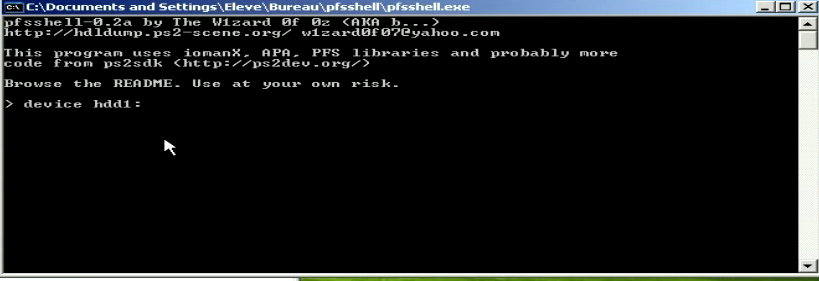
Run pfsshell.exe
-
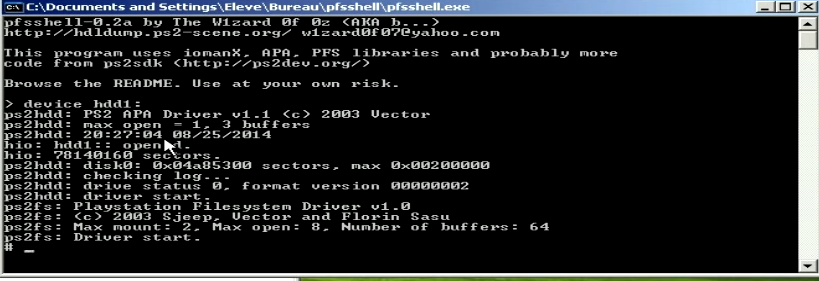
Select your PS2 HDD using the following command line :
device hddX:
X = the number of your PS2 HDD.
If you get this message : “ps2hdd: drive status 0, format version 00000002”, continue.
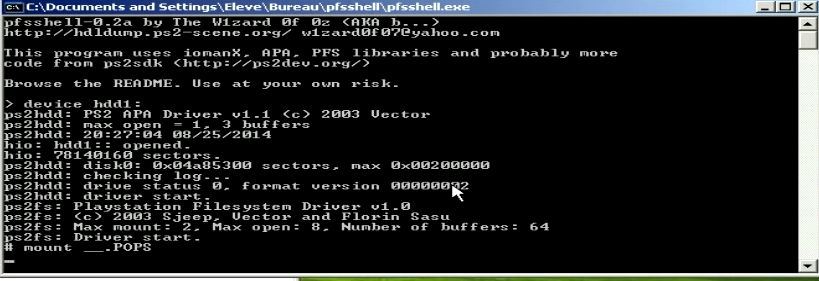
- You now need to mount the __.POPS VCD partition, using the following command line :
mount __.POPS
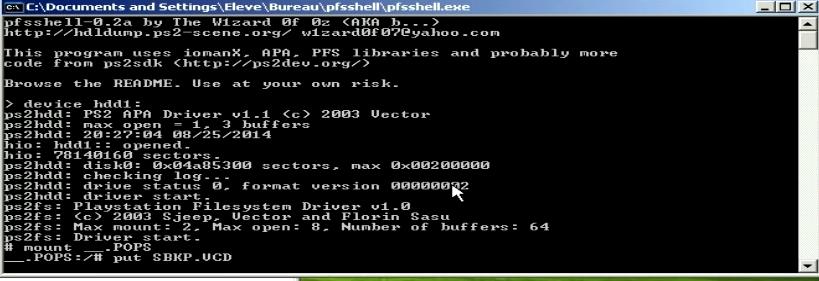
- Transfer your 1st VCD file using the following command line :
put NAMEOFYOURVCD.VCD
- Once the transfer is over, you can transfer another VCD or quit the programm running :
umount
then
exit
- Done.
Transfer several VCD at once :
[Original tutorial by ElPatas] @elotrolado – [.bat files thanks to deba5er ]
-
Get these files.
-
Open command prompt, then type “cmd”.
-
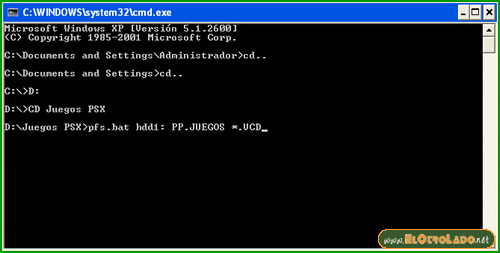
You need to launch the .bat file from it’s folder. In the example below, pfshell is placed into D: partition, into a folder named “CD Juegos PSX”.
-
Execute the .bat running the following command line :
pfs.bat hddX: __.POPS *.VCD
-
where X is the number of your PS2 HDD;
-
__.POPS the partition where the VCDs will be transfer;
-
*.VCD means to tranfer all files with .VCD extension.
Images & screenshots